

Design
Find a color. Build a palette.
Match any color on screen, pull a palette from a photo, or build a balanced scheme from one color. Every value copies in a click, ready to paste.
Any color on screen.
The eyedropper reaches into every app, with a live preview as you drag.
Palettes that work.
Five colors from a photo, or eight classic harmonies from one color.
Copy in a click.
HEX, RGB, HSL or CSS oklch(), ready for your stylesheet.
Eyedropper
Match any color on screen.
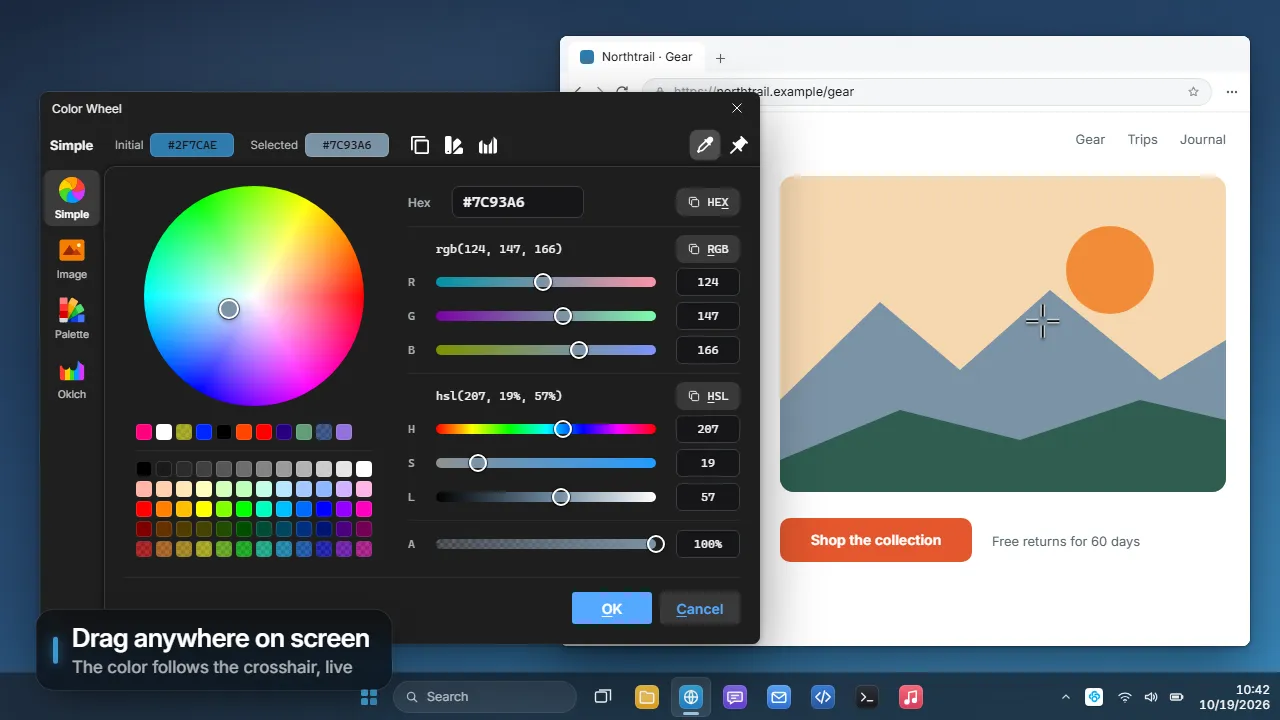
Press the eyedropper and drag anywhere: a website, a paused video, another app. The color follows your cursor and lands when you let go.
- Changed your mind? Press Esc mid-drag and the old color comes back.
- Tweak it first. Picking never closes the window, so you can adjust before you use it.
- Keep it on top. Pin the window and it floats over your work while you match colors.
On a Mac the eyedropper needs Screen Recording permission.
Palette from a photo
Turn any picture into a palette.
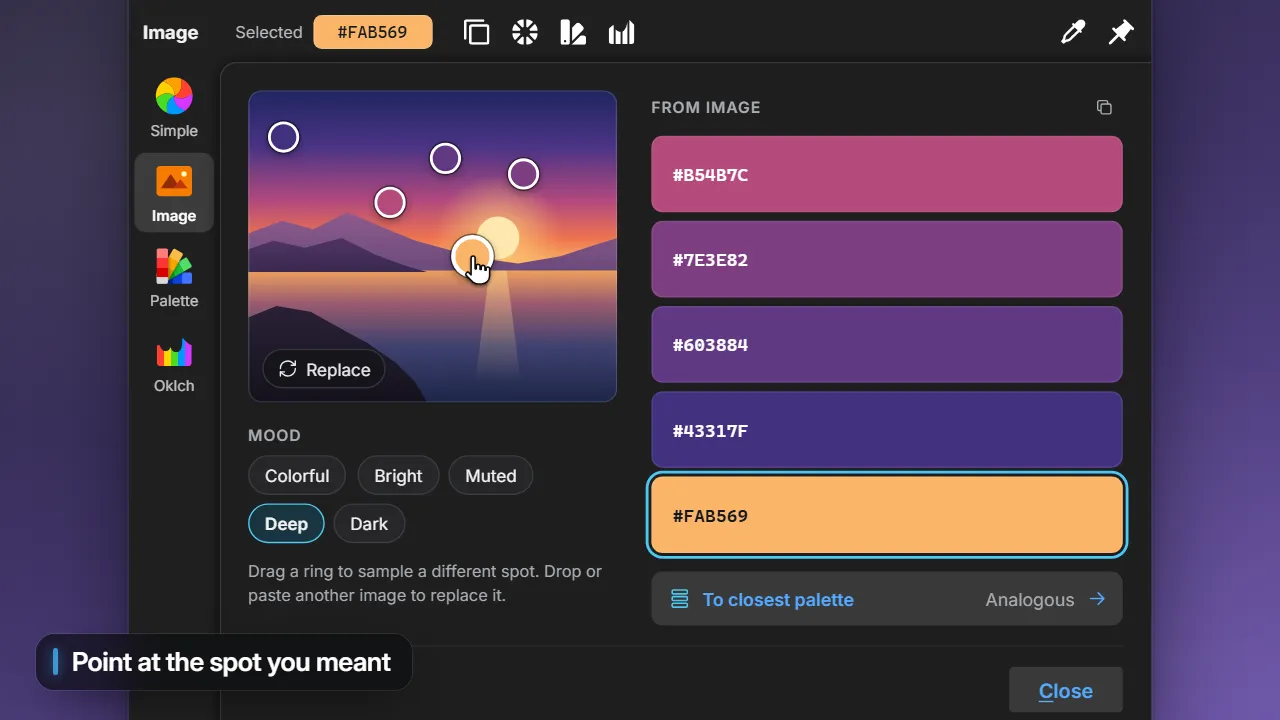
Drop in a photo, a logo or a screenshot, or paste one. Prisc pulls out a five-color palette and rings the spot each color came from.
- Pick a mood. Colorful, Bright, Muted, Deep or Dark. One picture, five different palettes.
- Point at the spot you meant. Drag a ring across the picture and its color follows.
- Find the closest scheme. See which classic harmony your picture is nearest to, then open it in Palette with one click.
Harmonies
A balanced scheme from one color.
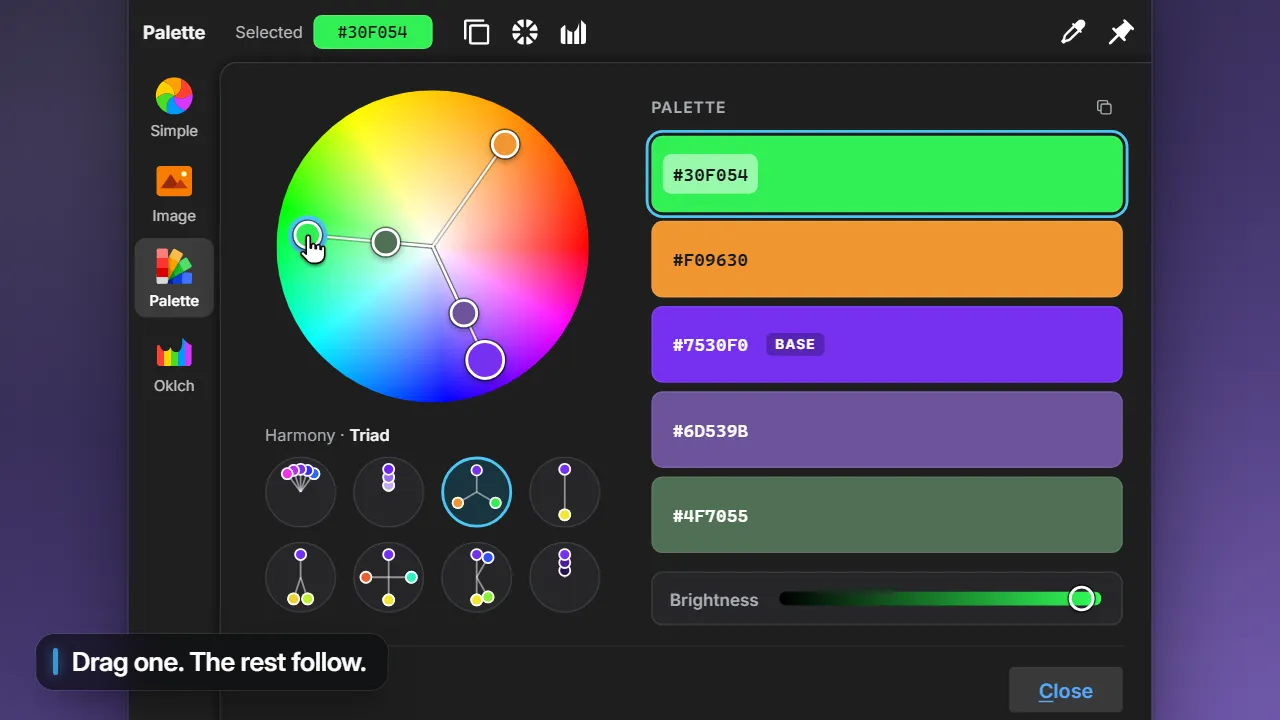
Start from one color and pick a harmony: analogous, triad, complementary and five more. Opposite colors land where a painter expects them, orange across from blue.
- It keeps its shape. Drag any color on the wheel and the rest turn with it, so the scheme holds.
- Tune one shade. The Brightness slider changes only the color you selected.
- Copy all five. One click puts every hex code on your clipboard, one per line.
Oklch
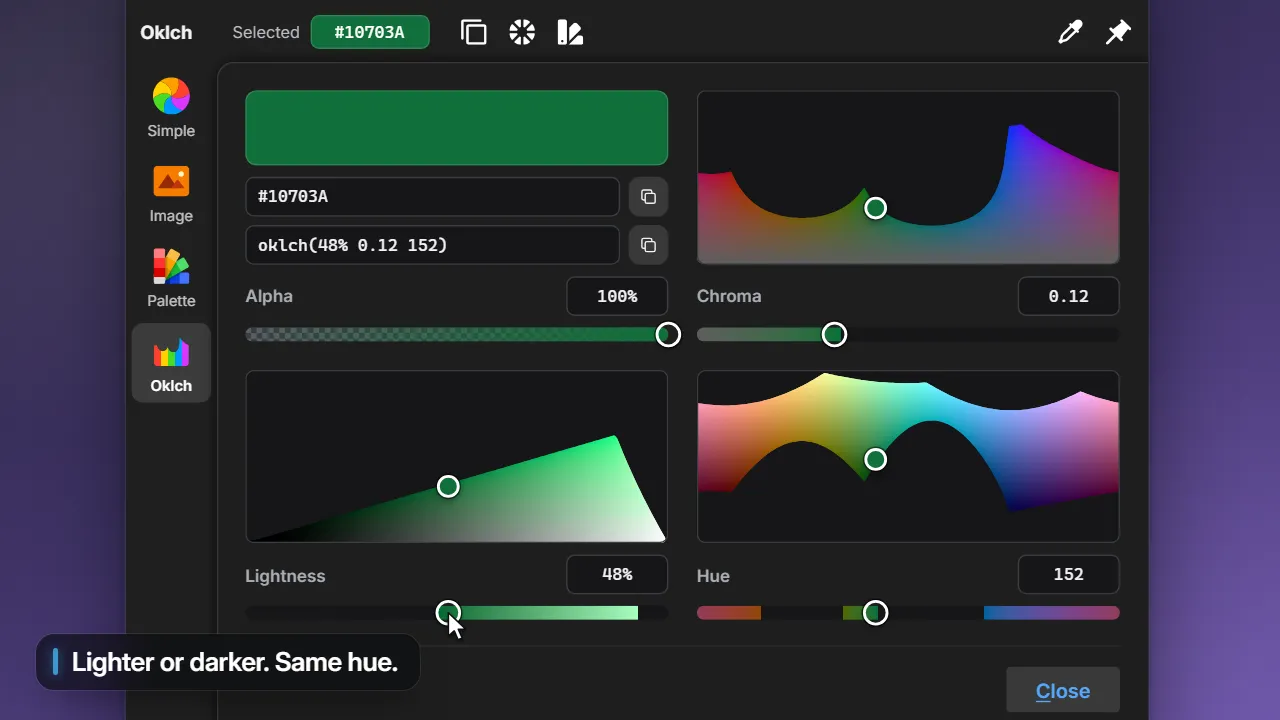
Lightness you can trust.
In most color pickers, a yellow and a blue set to the same lightness look nothing alike: the yellow glows and the blue sinks. Oklch follows your eye, so colors set equally light look equally light.
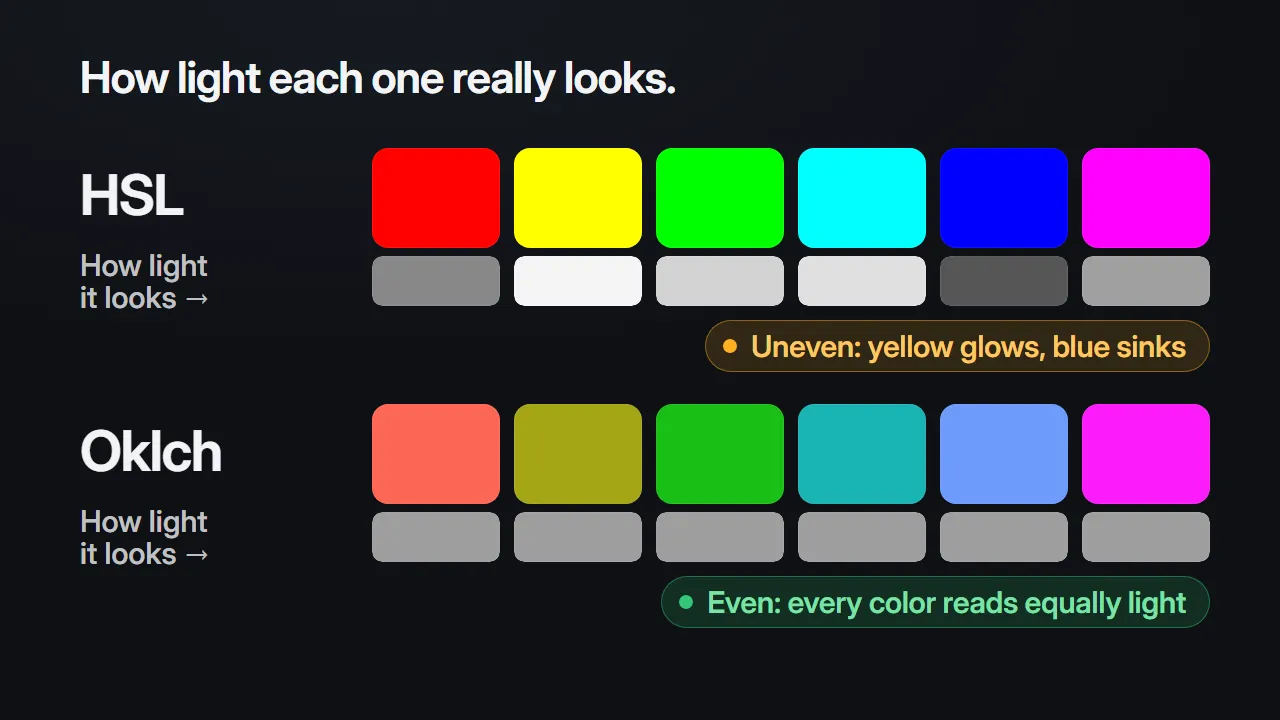
Shades keep their hue. Make a brand color lighter or darker without it drifting toward another color.
Even palettes. Colors at the same lightness carry the same visual weight.
Steps that look even. A ramp from light to dark moves in steps your eye reads as equal.
Oklch editor
See exactly how far a color can go.
Drag lightness, chroma (how vivid it is) and hue on live charts of every color a standard screen can show. Change one and the other two stay put.
- No surprise shifts. Push a color too far and Prisc tells you, then uses the nearest one that fits, with the same lightness and hue.
- Copy it as CSS. One click puts the oklch() value on your clipboard, including any transparency.
- Paste from anywhere. Bring in oklch() values from a stylesheet or another tool, even loosely written ones.
Quick pick
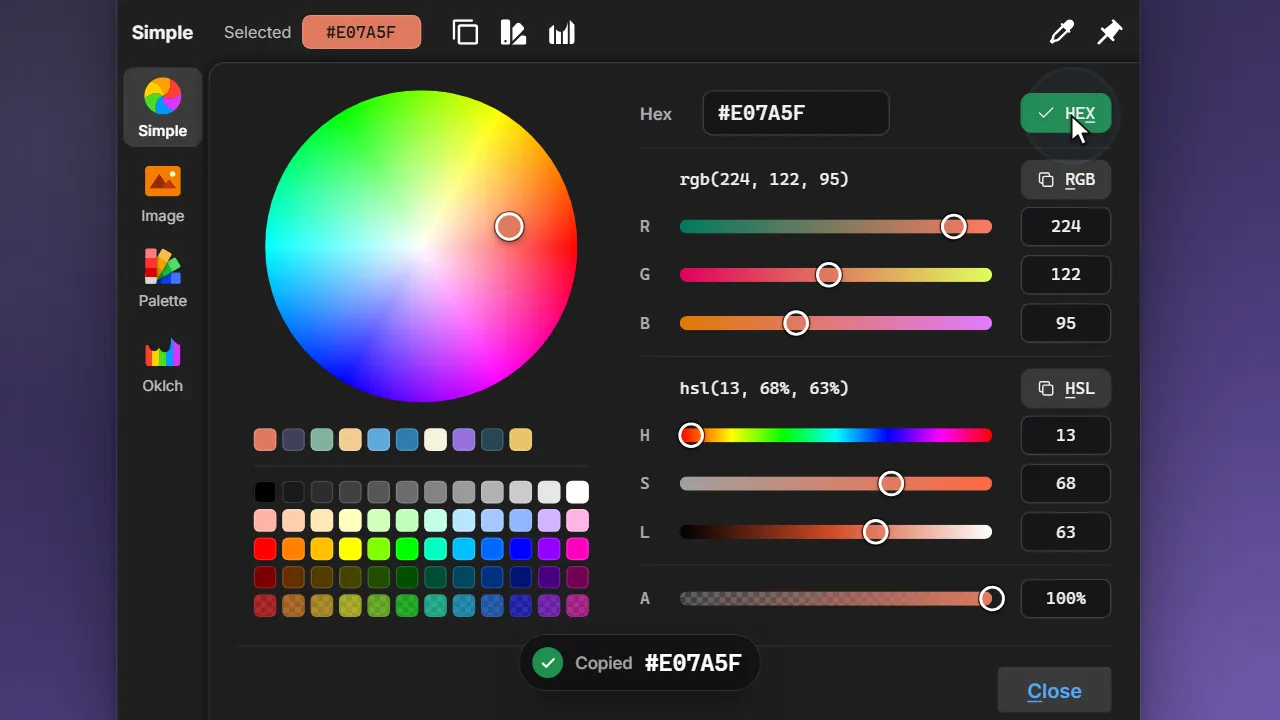
Copy it the way you need it.
A color wheel, 60 ready-made swatches and exact values you can type or paste. Copy HEX, RGB or HSL with a click, or press X, R or H.
- Recent colors follow you. The last 12 colors you set in an editor or in settings show up in every picker in Prisc.
- One color, every tab. Found it in a photo? Open it in Palette or Oklch without retyping the hex.
- Paste any hex. Short or long, with or without the #.
Start anywhere
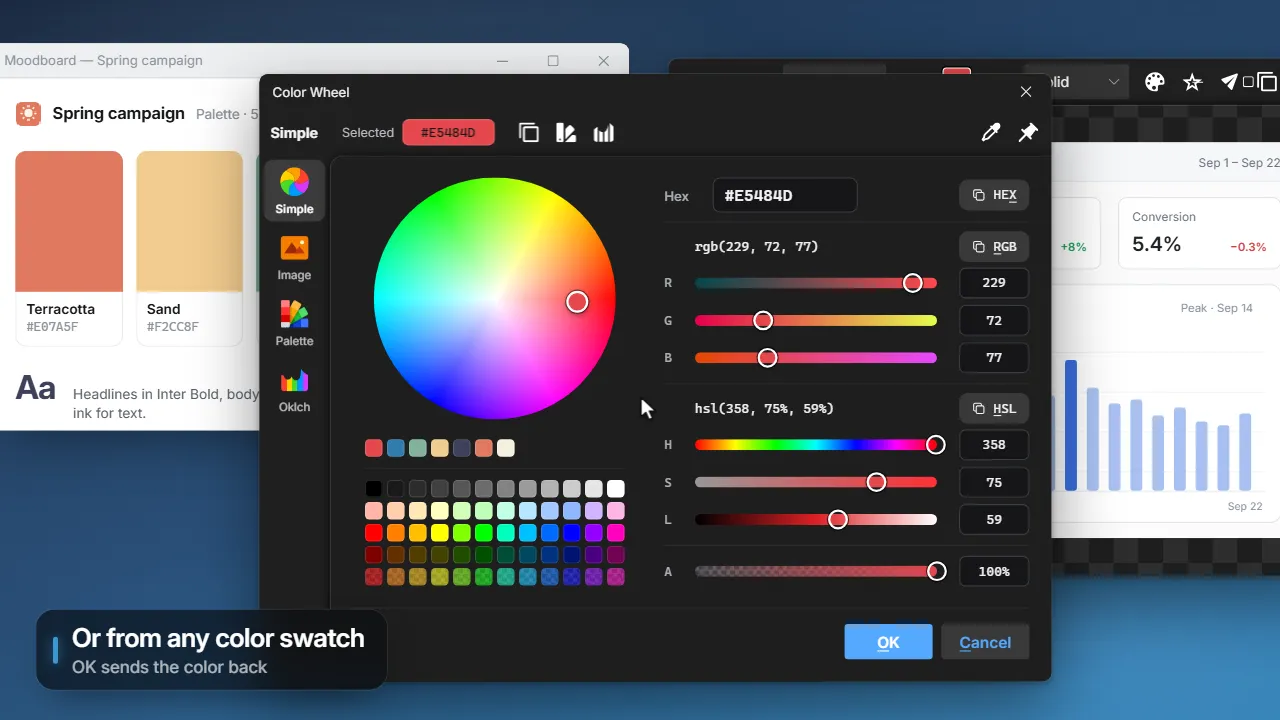
Open it from wherever you are.
Open the Color Wheel from the capture overlay, the tray menu or a hotkey of your own.
- While you capture. Press H over any pixel and its color opens straight in the Color Wheel.
- From the tray. The Color Wheel sits next to the image and video editors.
- With your own hotkey. None is set out of the box. Choose one in Settings → Hotkeys.
- From any color swatch. In the image editor, video editor or settings, pop the small picker out to the full tool. OK sends the color back.
How Prisc compares.
Pick it. Build on it. Paste it.
Free and open source for Windows and macOS.